The Orders page in Seller Center displays customer order details and where to add valid tracking information once you ship an order. After marking the order status Shipped, you can edit the tracking number for up to 24 hours or until the carrier first touch scan is received in the Walmart system, whichever is earlier. In this guide, you’ll learn you how to update your tracking information.
Update tracking numbers in Seller Center
Step 1 — Find the order
Navigate to the Orders page and use your purchase order number (PO#) to locate your order. Select the purchase order number to view your order details.
Step 2 — Enter new shipping details
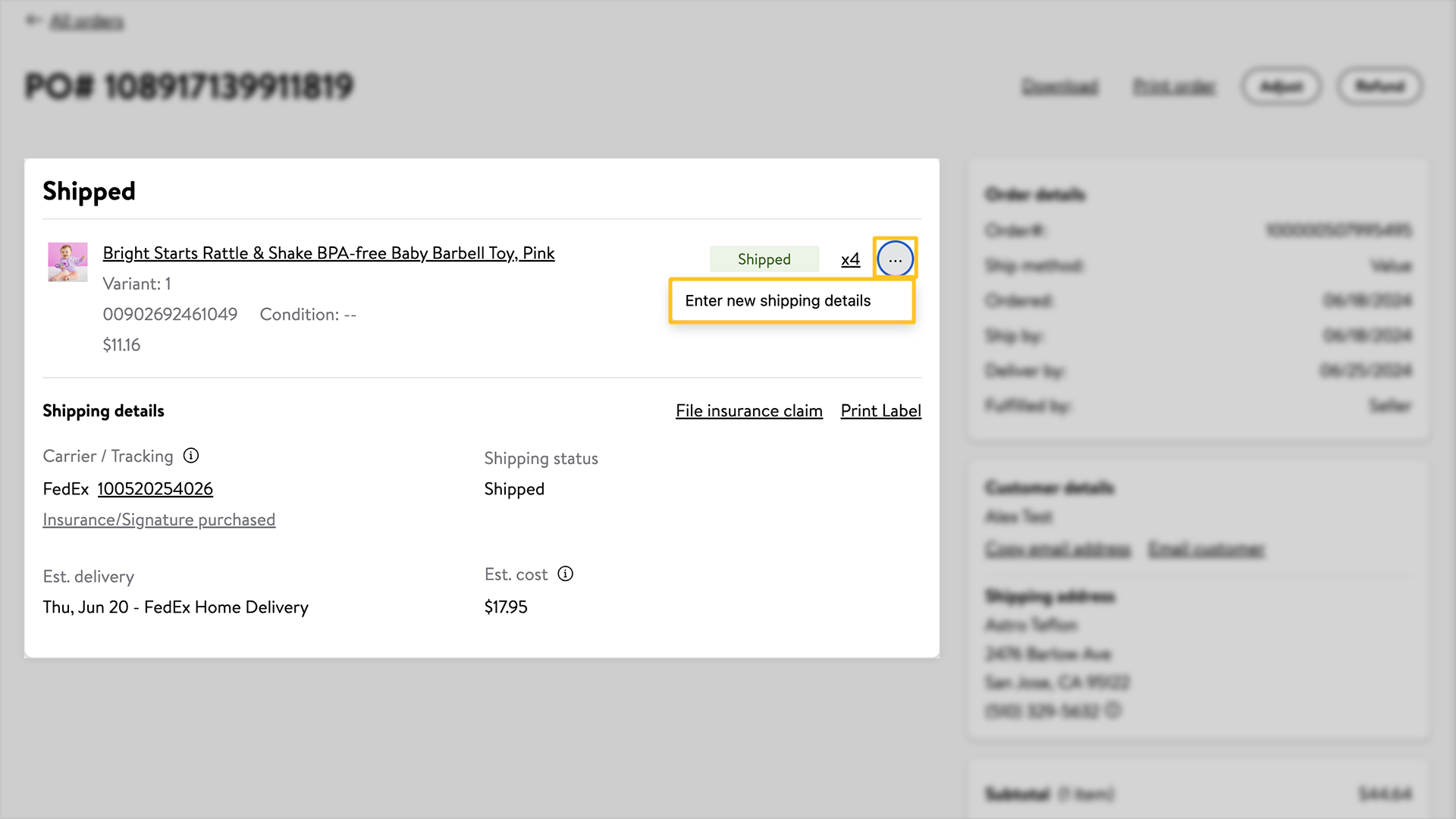
Select the three horizontal dots next to the item, then select Enter new shipping details. This option is only available for up to 24 hours or until the carrier first touch scan is received in the Walmart system, whichever is earlier.
Step 3 — Update your information
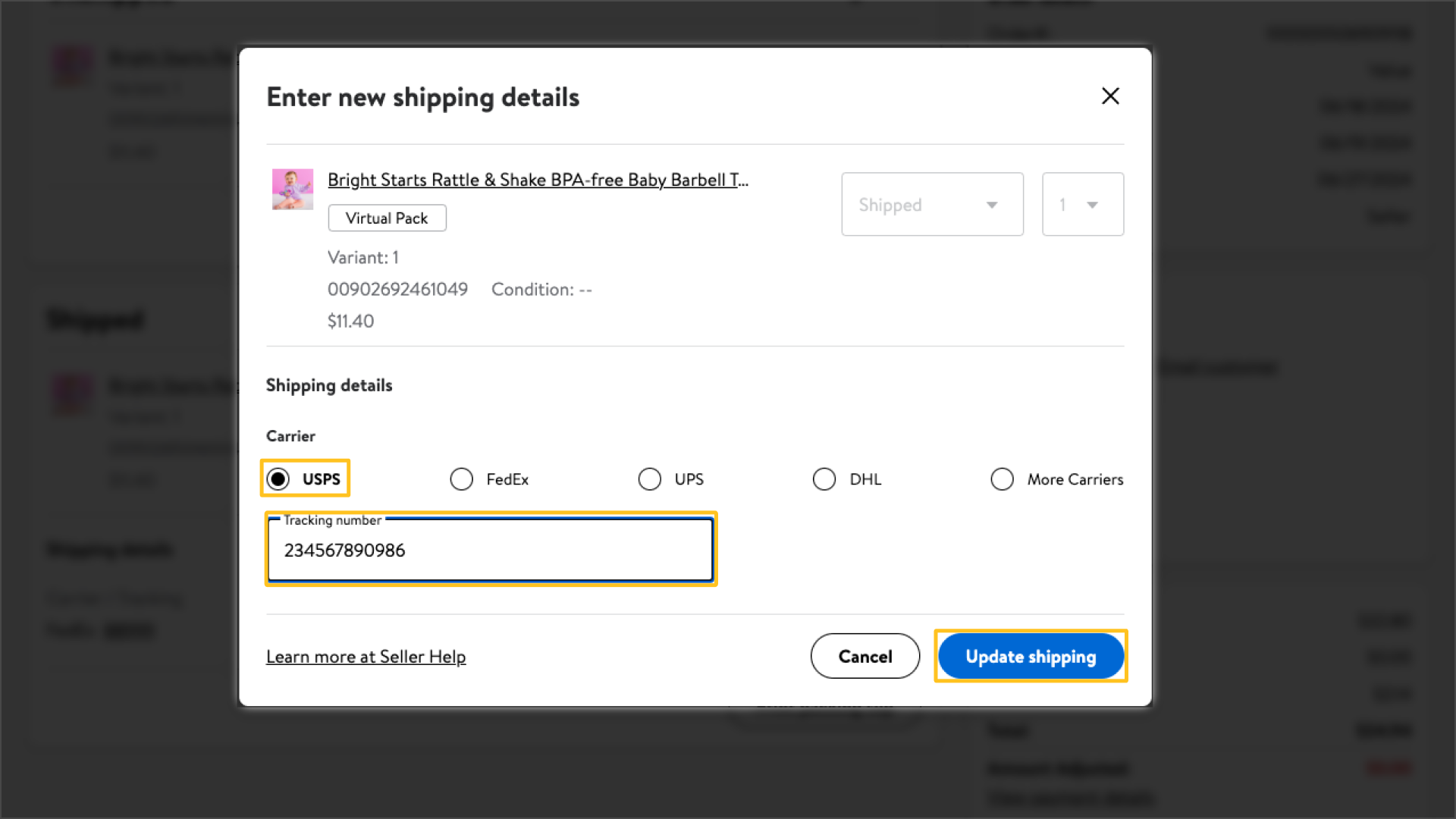
Enter your carrier and tracking number information. Select Update shipping to save the changes.